Important Notice
[2026-10-02] New Service: Passwordless Single-Sign-On (SSO) A Simpler, Faster and More Secure Way to Your IT Services (Staff & Student)
[2026-10-08] Service Maintenance: HKBU GenAI Platform (Staff & Student)
[2026-10-09] Scheduled Maintenance: Human Capital Management (HCM) System (Staff Only)
Adobe Creative Cloud



Overview
Adobe Creative Cloud is a comprehensive suite that provides a collection of creative applications and cloud-based services, available for use by all HKBU staff. From graphic design and photo editing to video production and digital publishing, this versatile platform empowers staff to transform ideas into impactful visuals, professional publications, engaging videos, and dynamic digital content. Eligible staff can activate Adobe Creative Cloud on up to 2 devices and use a single Creative Cloud app on 1 device at a time.
Create, Innovate and Design Effortlessly
HKBU staff can access Creative Cloud Apps using their HKBU SSO credential by selecting Adobe Creative Cloud (HKBU)* profile. Creative Cloud apps are available for download and installed via the Creative Cloud desktop app for both Windows and macOS. For the step-by-step guide, please refer here.
*For accessing Adobe Express and Firefly, please select another profile, named ‘Adobe Express and Firefly’.
Creative Cloud Apps - Highlights
[Access via ‘Adobe Creative Cloud (HKBU)’ profile)]

Adobe Photoshop
A powerful image editing and graphic design application to enhance photos, create digital artwork, design layouts, and manipulate visuals with precision.
Adobe Illustrator
A vector graphics design application used to create scalable artwork such as logos, icons, illustrations, and complex layouts with die-cut.

Adobe InDesign
A powerful application that enables users to design and create visually compelling layouts for both print and digital media publication.

Adobe Premiere Pro
A professional video editing application that enables users to craft high-quality videos, offering tools for cutting, color grading, audio mixing, and visual effects.

Adobe After Effects
A motion graphics and visual effects application that enables users to design animated content and compositing for film, TV, video, and web projects.

Adobe Acrobat Pro
Adobe Acrobat Pro is the premier software for creating, editing, and managing PDF documents effortlessly.
More Creative Cloud apps are available, please click here for details.
[Access via either ‘Adobe Express and Firefly’ or ‘Adobe Creative Cloud (HKBU)’ profile]
Adobe Express
It can be accessed either through web browser or mobile application for creating and sharing of diverse content, ranging from social media graphics to short videos and web pages.
Its collaborative features enable real-time co-editing with different permission levels, streamlining teamwork and feedback processes.
With a rich selection of templates, fonts, and design assets, Adobe Express empowers users of all skill levels to produce professional-quality content with ease and efficiency.
Users can access Adobe Express through the link here.

Adobe Firefly
Users are empowered to generate images, edit photos, and apply effects using text prompts, seamlessly transforming ideas into visual reality.
By leveraging AI trained on Adobe Stock and openly licensed content, Firefly not only enhances creative workflows but also addresses concerns related to copyright in AI-generated art.
Users can access Adobe Firefly through the link here.
Adobe Express and Firefly
At HKBU, each staff member has two profiles: ‘Adobe Creative Cloud (HKBU)’ and ‘Adobe Express and Firefly’. These two profiles are independent.
- To access Adobe Creative Cloud, select the ‘Adobe Creative Cloud (HKBU)’ profile to ensure you have access to the appropriate tools and functionality.
- To access Adobe Express and Firefly, you have two options:
- Click Adobe Express or Adobe Firefly within Adobe Creative Cloud (HKBU) profile to use the generative credits associated with this profile.
- Select the ‘Adobe Express and Firefly’ profile to access the files or graphics you have previously created under this profile.
Please note that files saved in the ‘Adobe Creative Cloud (HKBU)’ profile are not accessible in the ‘Adobe Express and Firefly’ profile, and vice versa. Make sure to select the appropriate profile based on the tools, credits, and files you need to access.
Yes, Adobe Express and Firefly are part of the Adobe Creative Cloud suite. For more information, please visit the FAQ page here.
You can install Adobe Creative Cloud on multiple devices. However, you can only activate up to two devices, and you can use each app on one device at a time.
To view the full list of Adobe Creative Cloud apps available with HKBU subscription, please log in to your Adobe Creative Cloud desktop app. The available apps will be displayed in the “Apps” section.
No. Access to Adobe Creative Cloud will end once your HKBU account expires, typically on your contract end date. Please ensure you back up all your files before your account is terminated.
All staff members possessing SSOids are eligible to use Adobe Creative Cloud service by logging in with their HKBU email address.
Yes, you can install and use both a perpetual - licensed Adobe app and Creative Cloud apps on the same device. These products operate independently and do not interfere with each other. As long as your system meets the technical requirements for each app, you should not experience any compatibility issues.
To change the default install language in Adobe Creative Cloud, follow the steps below:
i. Open the Adobe Creative Cloud desktop app.
ii. Click your profile avatar (in the top right corner) and select ‘Preferences’.
iii. Go to the ‘Apps’ tab.
iv. Under ‘App Language’, select your preferred language from the ‘Default install language’ dropdown menu.
To request installation of the Adobe Creative Cloud desktop app on your office device, please complete and submit the [IT111] Software and Peripheral Installation Service, specifying that you wish to install the Adobe Creative Cloud desktop app, ITO colleagues will arrange the installation for you.
To download Creative Cloud apps, sign in to the Adobe Creative Cloud desktop app. Browse the list of available apps and click ‘Install’ next to the app you wish to download.
Each user is allocated 100GB of cloud storage. This storage cannot be increased or shared with other users. Files cannot be saved once the storage limit is exceeded.
Each staff will receive 525 Adobe generative credits per month in Adobe Creative Cloud (HKBU) profile to generate, edit and enhance images.
If a staff member logs in using the Adobe Express and Firefly profile, they will receive an additional 250 generative credits per month to generate, edit, and enhance images. These generative credits are independent from those in the Adobe Creative Cloud (HKBU) profile, and tokens will be deducted separately.
Generative credits reset every month and cannot be topped up or carried over to the next month. Once you reach your credit limit, access to generative AI features may be restricted or downgraded until your credits reset. Once you have finished your credits, you need to wait until the next cycle for credits to refresh.
You can view your generative credit count in your Adobe Account. Click your profile avatar in the top right corner of the Adobe interface to access. your account details. Your current remaining generative credit, the total credits allotted, and the reset date of your next cycle will be displayed.
Yes, you can access Adobe Creative Cloud and its apps outside HKBU campus. Please ensure that you, log in using your HKBU email address and select the designated profile to gain access.
No, most apps can be used offline once they are installed on your device and you have a valid software license. However, an internet connection is required for the initial installation and periodic license verification. Please note that certain features such as cloud syncing and Adobe Fonts require an internet connection.
Yes, you can share files with people who do not have an Adobe Creative Cloud subscription. You can share files via email, cloud links, or other platforms, and recipients can view or download them.
Yes. You can find comprehensive user guides on the Adobe website at https://helpx.adobe.com/creative-cloud/apps.html. Please make sure to login with the correct profile, “Adobe Acrobat Pro (HKBU)” to access additional resources from Adobe.
Adobe is committed to protecting the data and privacy of their customers. Creative Cloud uses industry-standard security measures, including encryption for data both in transit and at rest. Access to your files and personal information is safeguarded by secure authentication protocols and regularly updated security practices.
Please refer to Adobe’s Security Overview for more information.
InnovateX: The Art of Tech-Infused Creativity
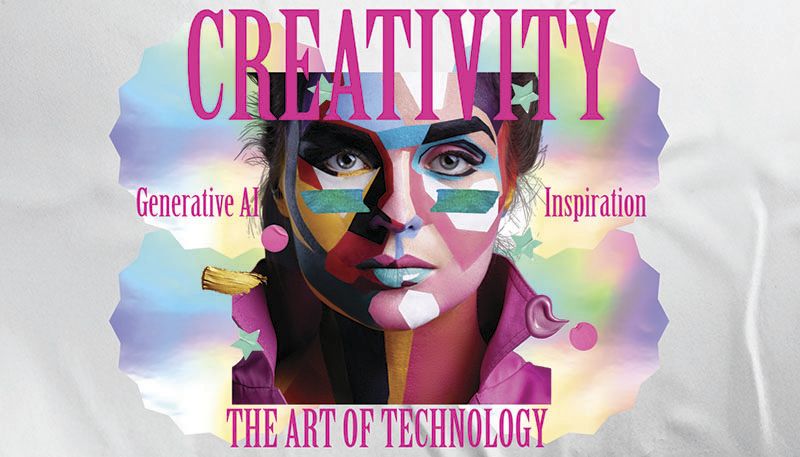
Introductory Webinar on Adobe Express and Firefly
Agenda:
- Introduction to Adobe Firefly
- Firefly Web interface
- Introduction to Adobe Express
- Quick Actions in Adobe Express
- Creating Social Posts with Adobe Firefly in Adobe Express
- Generating Designs in Adobe Express
- Collaborate and Share the Artwork with Teammates
 | 19 Feb 2025 (Wed) |
 | 4:30pm–5:30pm |
 | Online |
 | English |
 | Staff & Students |
 | Training Deck |
 | Training Video |
Introductory Workshop on Adobe Express and Firefly I
Agenda:
- Introduction to Adobe Firefly
- Firefly Web interface
- Introduction to Adobe Express
- Quick Actions in Adobe Express
- Creating Social Posts with Adobe Firefly in Adobe Express
- Generating Designs in Adobe Express
- Collaborate and Share the Artwork with Teammates
| 07 Feb 2025 (Fri) |
| 4:00pm–5:30pm |
| In person |
| Cantonese |
| Staff & Students |
| Training Deck |
| Training Video |
Introductory Workshop on Adobe Express and Firefly II
Agenda:
- Introduction to Adobe Firefly
- Firefly Web interface
- Introduction to Adobe Express
- Quick Actions in Adobe Express
- Creating Social Posts with Adobe Firefly in Adobe Express
- Generating Designs in Adobe Express
- Collaborate and Share the Artwork with Teammates
| 10 Feb 2025 (Mon) |
| 11:00am–12:30pm |
| In person |
| Cantonese |
| Staff & Students |
| Training Deck |
| Training Video |
Introductory Workshop on Adobe Express and Firefly III
Agenda:
- Introduction to Adobe Firefly
- Firefly Web interface
- Introduction to Adobe Express
- Quick Actions in Adobe Express
- Creating Social Posts with Adobe Firefly in Adobe Express
- Generating Designs in Adobe Express
- Collaborate and Share the Artwork with Teammates
| 10 Feb 2025 (Mon) |
| 4:15pm–5:45pm |
| In person |
| Cantonese |
| Staff & Students |
| Training Deck |
| Training Video |
InnovateX: The Art of Tech-Infused Creativity
Training Session on Video Production Using Adobe Creative Cloud – Session I
Agenda:
- Introduction to Creative Cloud
- Introductions and Objectives of Creative Cloud Apps
- Introduction of Cloud Storages
- Adobe Premiere Pro: Video Editing Basics
- Import and Organize Footage
- Basic Video Editing Techniques and Transitions
- Export and Share Videos
- Adobe After Effects: Motion Graphics and Animation
- Create Simple Animations and Motion Graphics
- Work with Keyframes and Effects
- Export Animations for Use in Presentations or Online
- Other Video Tools
| 7 Aug 2026 |
| 3:00pm – 4:30pm |
| OEE702 |
| Cantonese |
| Staff |
| Training Deck |
| Training Video |
Training Session on Graphic Designs Using Adobe Creative Cloud – Session I
Agenda:
- Introduction to Creative Cloud
- Introductions and Objectives of Creative Cloud Apps
- Introduction of Cloud Storages
- Adobe Photoshop: Essential Skills
- Basic Operations of Firefly in Creative Cloud Apps (PS)
- Basic Photo Edit and Retouch
- Work with Layers and Masks
- Export Images for Web and Print
- Adobe Illustrator: Vector Graphics and Design
- Create and Edit Vector Graphics
- Logo and Icon Design
- Work with Typography and Colours
- Adobe InDesign: Desktop Publishing
- Design Brochures, Flyers, and Magazines
- Layout Techniques and Master Pages
- Prepare Documents for Print and Digital Distribution
| 12 Aug 2026 |
| 10:30am – 12:00pm |
| OEE702 |
| Cantonese |
| Staff |
| Training Deck |
| Training Video |
Training Session on Video Production Using Adobe Creative Cloud – Session II
Agenda:
- Introduction to Creative Cloud
- Introductions and Objectives of Creative Cloud Apps
- Introduction of Cloud Storages
- Adobe Premiere Pro: Video Editing Basics
- Import and Organize Footage
- Basic Video Editing Techniques and Transitions
- Export and Share Videos
- Adobe After Effects: Motion Graphics and Animation
- Create Simple Animations and Motion Graphics
- Work with Keyframes and Effects
- Export Animations for Use in Presentations or Online
- Other Video Tools
| 19 Aug 2026 |
| 3:00pm – 4:30pm |
| OEE702 |
| Cantonese |
| Staff |
| Training Deck |
| Training Video |
Training Session on Graphic Designs Using Adobe Creative Cloud – Session II
Agenda:
- Introduction to Creative Cloud
- Introductions and Objectives of Creative Cloud Apps
- Introduction of Cloud Storages
- Adobe Photoshop: Essential Skills
- Basic Operations of Firefly in Creative Cloud Apps (PS)
- Basic Photo Edit and Retouch
- Work with Layers and Masks
- Export Images for Web and Print
- Adobe Illustrator: Vector Graphics and Design
- Create and Edit Vector Graphics
- Logo and Icon Design
- Work with Typography and Colours
- Adobe InDesign: Desktop Publishing
- Design Brochures, Flyers, and Magazines
- Layout Techniques and Master Pages
- Prepare Documents for Print and Digital Distribution
| 20 Aug 2026 |
| 10:30am – 12:00pm |
| OEE702 |
| Cantonese |
| Staff |
| Training Deck |
| Training Video |