Important Notice
[2026-10-02] New Service: Passwordless Single-Sign-On (SSO) A Simpler, Faster and More Secure Way to Your IT Services (Staff & Student)
[2026-10-14] Maintenance Notice: Campus Wired and Wi-Fi Network Maintenance in Oct & Nov 2026 (Staff & Student)
[2026-10-22] Service Discontinuation Notice: The Cloud Connect Service (VPN) will be discontinued on 2 November 2026 (Staff & Student)
HKBU MOBILE


Overview
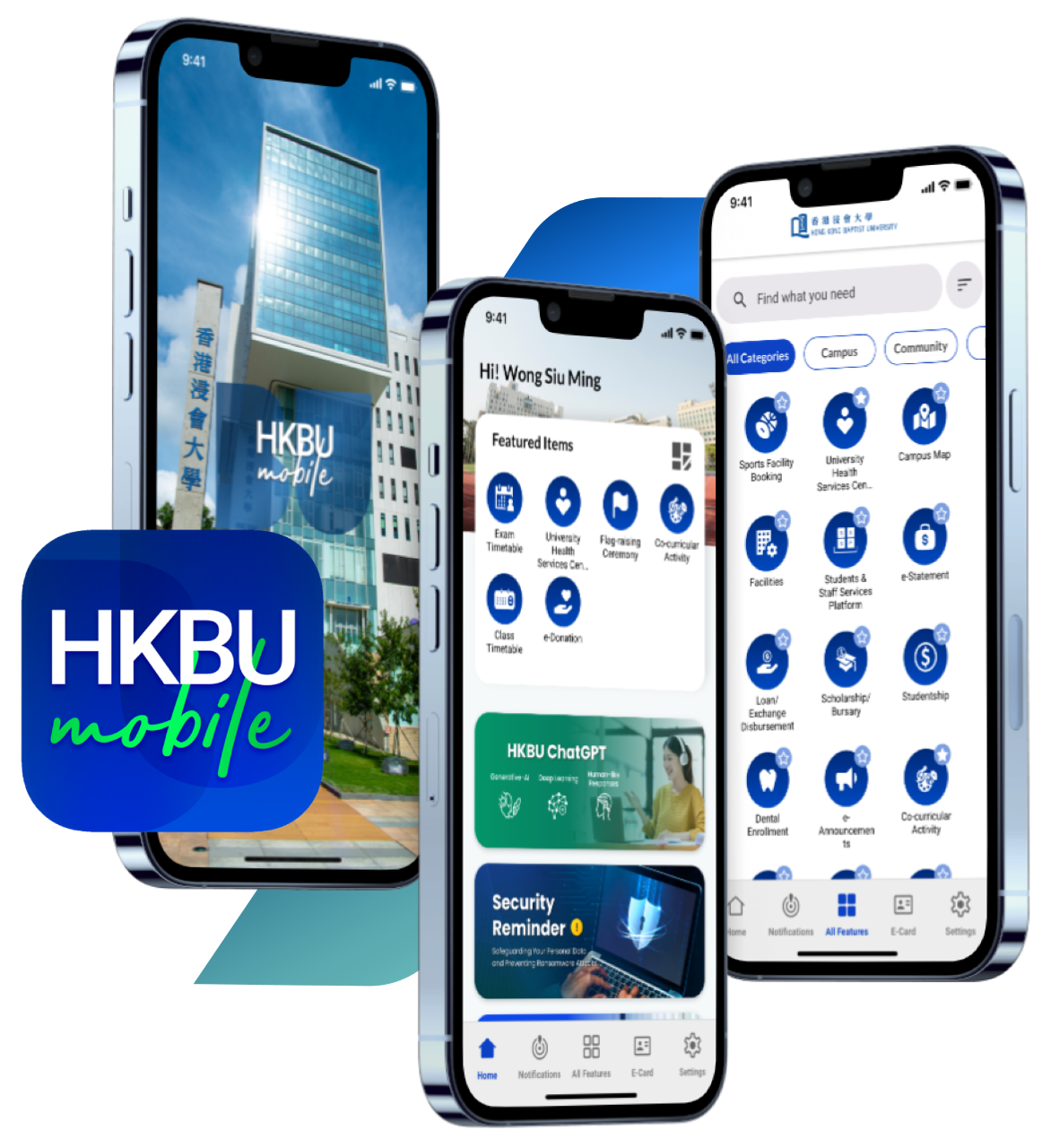
The single platform to access various HKBU services and information.
Students
Easily access your timetable, course grade records, and more.
Staff
Search staff contacts and apply leave on mobile device.
Alumni & General Public
Access to latest University information.
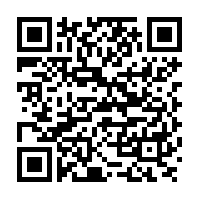
Please download the official mobile app below.
HKBU e-Card
(for Students*)
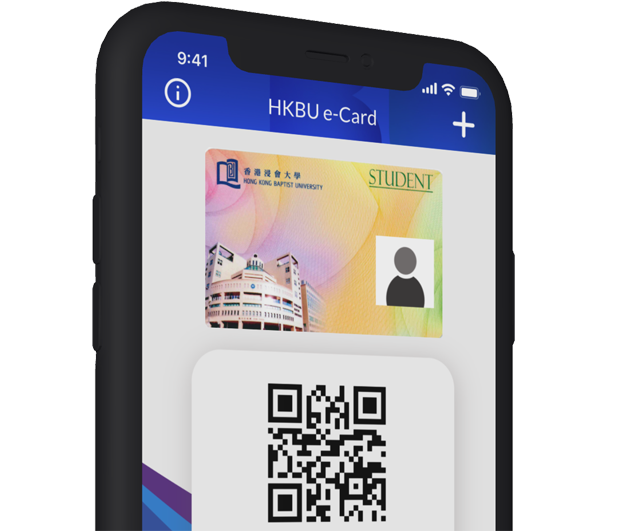
HKBU Student e-Card is your digital identity. It is tied in with HKBU Mobile providing an alternative to the physical student card with added security.
You can enter the following locations by displaying the QR code on your HKBU Student e-Card.
- HKBU Libraries
- Sports Centres (Kowloon Tong Campus)
- Student Residence
- Learning Commons
We will be adding more services and benefits to the e-Card. Please register your HKBU e-Card now and stay tuned!
* The HKBU Mobile will be functional at some regions only when connected with VPN.
BU-Connect
(for staff)
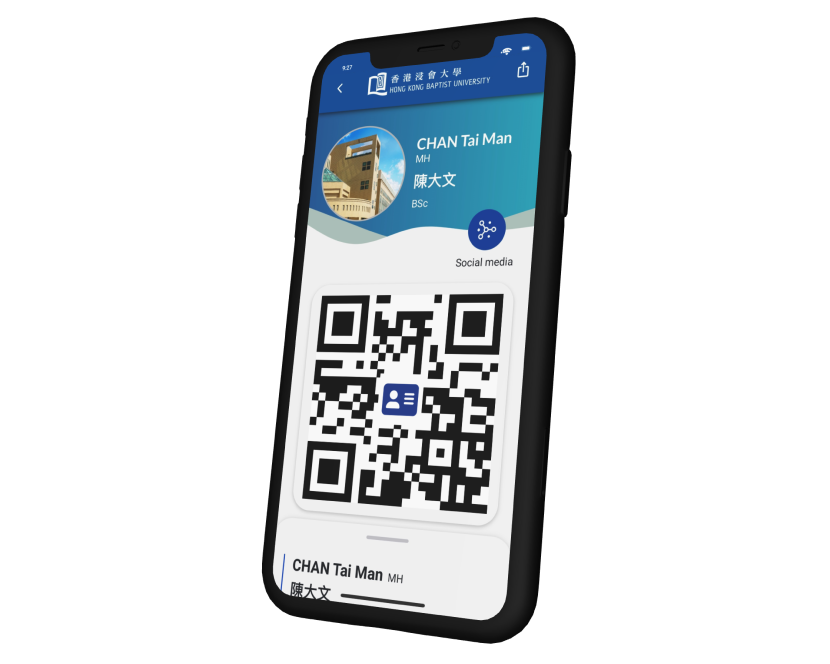
Introducing BU-Connect, HKBU's innovative e-Business Card platform, designed to streamline professional networking. This feature empowers our staff to share their business profiles electronically with a simple tap, ensuring seamless connections and sustainable first impressions.
With BU-Connect, you can:
- Enable a professional looking e-Business Card on your mobile
- Allow guests to add your contact by scanning QR Code
- Include personal/official social media accounts on the profile
- Create multiple profiles to serve different business needs
HIGHLIGHTED FEATURES

HKBU NewsExplore the latest news of the Hong Kong Baptist University |

HKBU EventsHKBU Event Calendar provides the University community as well as the public with information on the University’s events and activities. |

Campus MapLocation of campuses, buildings, catering, and green campus facilities. |

FacilitiesInformation of facilities in the University (including Library, Catering Facilities etc.) |

Sports Facility Booking(For Students / Staff)Reserve sports facility and pay the booking fee online. |

e-Announcements(For Students / Staff)Daily updates from faculties, schools, academic departments, research centres and administrative offices. |
Bad Weather Notification(For Students / Staff)You will be notified whenever a typhoon or rainstorm warning signal is raised. |

e-Directory (For Staff)Search staff directory for contact information. |

Absences (For Staff)Apply, enquire and approve absence records. |

e-Medical Claims (For Staff)Apply, and enquire medical claims records |
Attendance Check-In(For Staff)Real-time attendance tracking of SLES activities. (click here for more details) |

Study (For Students)Access to students' academic related information including Class Timetable, Exam. Timetable and Grade Records. |

Finance (For Students)Access to students' financial related information including e-Statement, Loan/Exchange Disbursement, Scholarship/Bursary and Studentship. |
Co-curricular Activity(For Students)Registration for student co-curricular activities. QR Code for attendance taking. |

U-Life Fulfilment(For Students)Check student U-life Fulfilment so that the U-Life requirement can be completed on time. |
* The HKBU Mobile will be functional at some regions only when connected with VPN.
Safeguard your Privacy
Sensitive information are protected with your SSOid Password or Biometric Authentication
(Biometric Authentication supported on iPhone / iPad and Android devices with Android 9 or above).
HKBU E-Card
E-Business Card
“BU-Connect” e-Business Card (for Staff only)
Biometric Authentication
User Guide on E-Medical Claims Enquiry (for Staff only)
User Guide on E-Medical Claims Submission (for Staff only)
User Guide on E-Medical Claims Benefit Balance (for Staff only)
All staff and students with a valid SSOid are eligible to use the Smart EV Charging mobile feature in HKBU Mobile.
No. Only staff and students with a valid SSOid are eligible to use the Smart EV Charging mobile feature in HKBU Mobile. Spouses of HKBU staff who hold Type II Parking Permits cannot use the Smart EV Charging service.
Please make sure that you have signed in HKBU Mobile with your SSOid account and password. If the issue persists, report it by searching ‘Report an IT Incident’ on the Self-Service Support Portal (SSSP).
Reservations are unavailable. The Smart EV Charging service is provided on a first-come, first-served basis.
The Smart EV Charging mobile feature does not display real-time availability of EV charging stations.
The Smart EV Charging mobile feature does not support a time limit setting for a charging session.
Charging session details are available, including the charger ID, charging status, Order ID, station location, start time, power consumption (kWh), and charging fee.
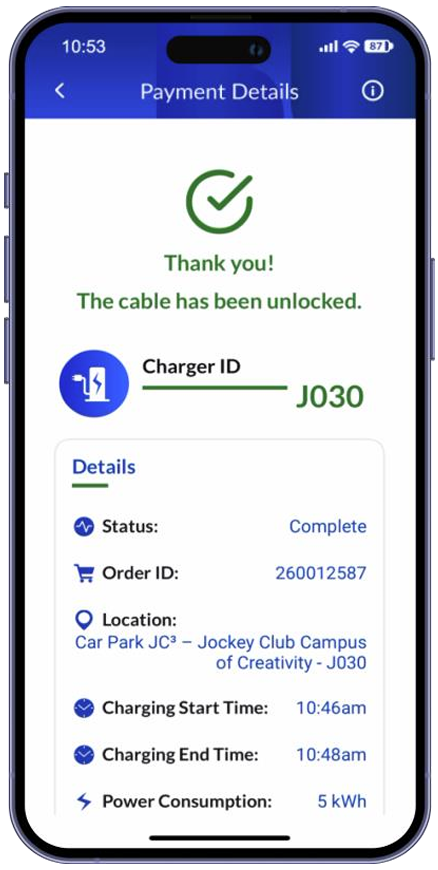
Please note that the figures displayed during an active charging session are for reference only and the figure will only be finalized once the user tap the ‘Stop Charging’ button in Smart EV Charging mobile feature.
The charging session will be stop automatically when it is fully charged or reaches a preset charging level.
Users should stop the charging session and complete the payment process via the Smart EV Charging mobile feature. It is highly recommended to unplug the charging cable immediately after the charging session ends.
You can select ‘Manual Input’ option and enter the Charger ID to enjoy the charging service. The Charger ID can be found on the charger.
If the Charger ID is not accepted, please select another charging station and report the error to EO through eo@hkbu.edu.hk or 3411 7777.
You will be billed at HK$2.5 per kWh. Power consumption and charges are rounded up to the nearest 1 kWh, and a minimum charge (HK$20) will be applied.
Note:
- If power consumption is less than 0.5 kWh, the charging fee will be waived.
- If power consumption is 0.5 kWh or above and the chargeable amount is less than HK$20, a minimum charge of HK$20 will be applied.
- If the chargeable amount exceeds HK$20, the charge will be based on the actual power consumption.
A minimum charge of HK$20 applies to each charging session.
The Smart EV Charging mobile feature supports credit cards, UnionPay, Alipay, AlipayHK, and WeChat Pay. Users may also pay using Google Pay (Android) or Apple Pay (iOS).
It depends on the power consumption of the charging session. If the power consumption is less than 0.5 kWh, the charging fee will be waived. However, if the power consumption reaches between 0.5 and 8 kWh, a minimum charge of HK$20 will be applied.
An unsuccessful payment may be caused by incorrect payment details, an issue with the selected payment method, or an error reported by the payment gateway.
Please verify that your payment information is accurate, then try again using the same payment method.
If the payment still fails, the issue may be with your bank, card issuer, or payment provider. Please try a different payment method.
If the issue persists, report it by searching ‘Report an IT Incident’ on the Self Service Support Portal (SSSP); provide the order ID, Charger ID, payment method used, date and time of the transaction, and a screenshot of the error message (if available).
If you mistakenly close the HKBU Mobile before completing payment after tapping ‘Stop Charging’, reopen HKBU Mobile and access the Smart EV Charging mobile feature again.
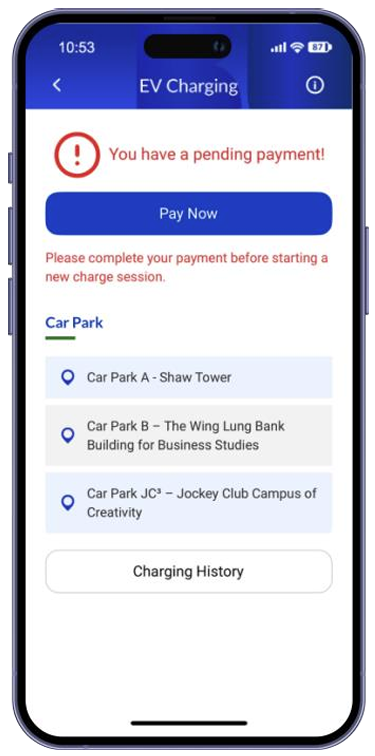
You will be directed to the Pending Payment Screen, which remind you to settle any outstanding payment. Tap ‘Pay Now’ to complete payment.
For detailed instructions to proceed payment, you can follow the Part A of user guide, ‘Manage Payment and View Charging History with Smart EV Charging Mobile Feature’.
In addition, you will receive a push notification on the following day reminding you of the pending payment, as shown below:
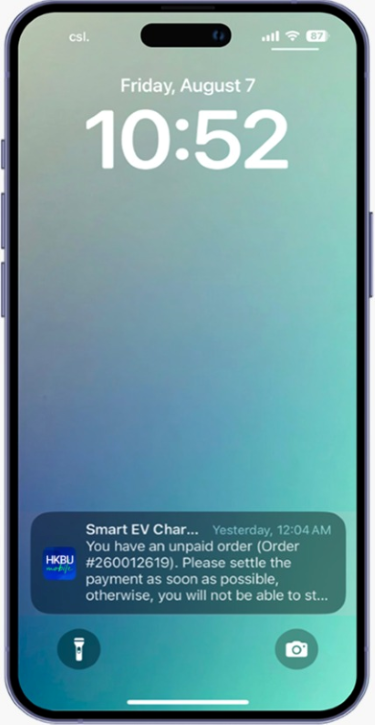
The notification will be sent daily until the outstanding payment is settled.
Outstanding payments must be settled before starting a new charging session.
A push notification will be sent when the charging session is complete. Please ensure the notifications are enabled on your mobile device.
Charging records will be retained for up to one year.
Charging history is stored on your HKBU account, once you signed in your HKBU Mobile on another device, the record can be retrieved.
In addition to the Smart EV Charging mobile feature, the service can also be accessed via the web portal at https://evcharging.hkbu.edu.hk.
For more information, please refer to EO website at https://eo.hkbu.edu.hk/eo-services/services-facilities/EVcharging.html.
HKBU Mobile is the official mobile app for the University community to access various HKBU services and information in one single platform.
 |  |
 |  |
You can download and install the HKBU Mobile application file if your Android device does not support Google Play Services. However, features like Push Notifications and Campus map might not be functional.
Version 2.2.8.2025022712
MD5 (585BE5C0EC229B04CCAE507D0CAFF99E)
SHA256 (20A5EEC3A68DC7775DCEE8DC88C0926BA32359E62D701F40B192AF36989B7CA4)